
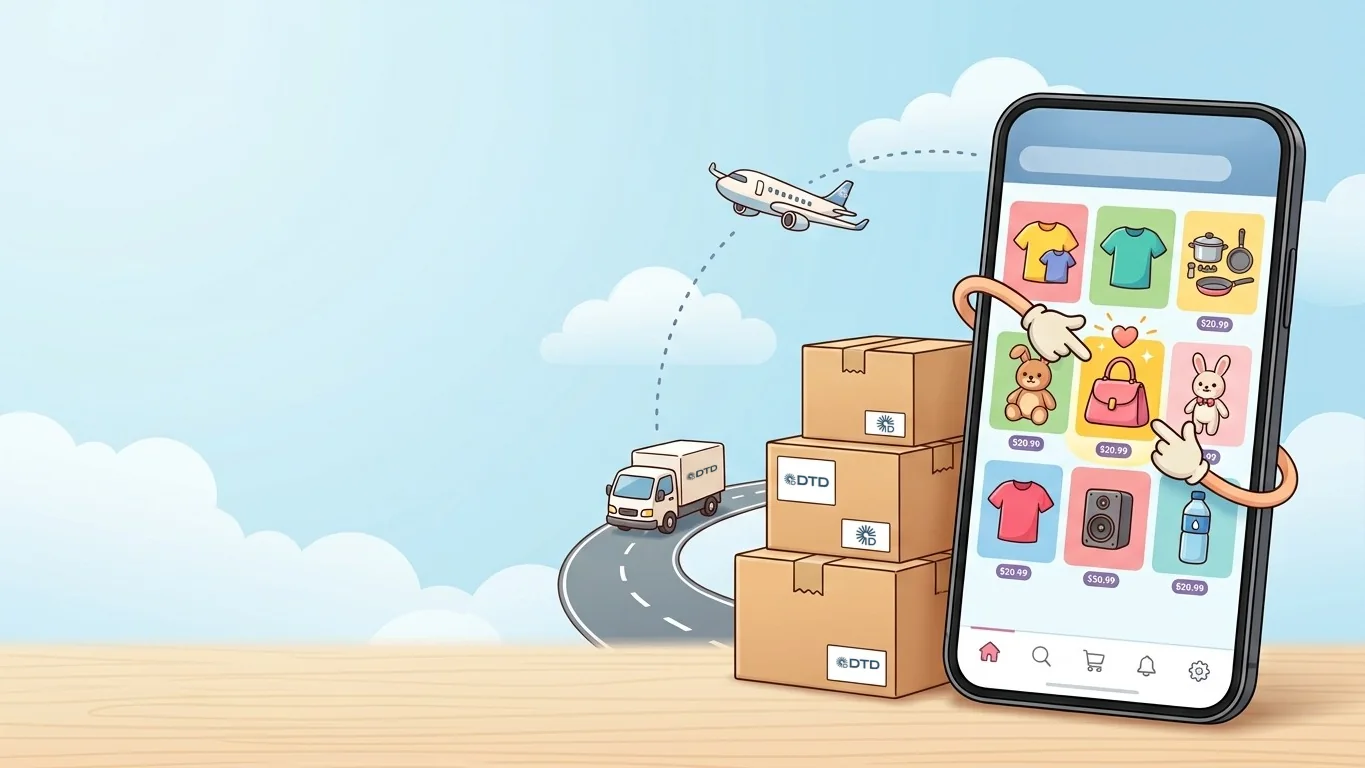
Pinduoduo works from Uzbekistan: you sign in with your +998 number and pay by Visa or Mastercard. There is one catch — sellers ship only within China. So you enter a cargo company’s China warehouse as the delivery address, and the cargo company brings the parcel from that warehouse to your door. Below is everything in order, from installing the app to the tracking number.
Key points
- You don’t need a Chinese number: Pinduoduo accepts a +998 number and an SMS code.
- On Android the app is not on Google Play — download it only from the official site, pinduoduo.com. On iPhone it is in the App Store.
- Group buying (拼单) is cheaper. If a group doesn’t fill within 24 hours, the money is refunded automatically.
- Pinduoduo adds a 3% fee (at least ¥2) to Visa and Mastercard payments. Humo, Uzcard and Apple Pay don’t work.
- The delivery address is the DTD warehouse in China, with your DTD ID on both lines. Cargo is paid separately once the parcel reaches Tashkent.
Contents
- Does Pinduoduo work in Uzbekistan?
- What you need
- Step 1. Install the app
- Step 2. Sign up with a +998 number
- Step 3. Enter the China warehouse address
- Step 4. Find and check the product
- Step 5. Buy alone or with 拼单 group buying
- Step 6. Pay
- Step 7. Find the tracking number
- What cargo costs and how long it takes
- What you can’t order
- Cancellations and returns
- 6 mistakes Pinduoduo shoppers make
- Frequently asked questions
Does Pinduoduo work in Uzbekistan?
Yes. Pinduoduo (拼多多) is one of China’s largest online marketplaces, and its app opens from Uzbekistan: sign-up, search and payment all work. The only thing that doesn’t is direct delivery to Uzbekistan — Pinduoduo sellers ship only to addresses inside China, so you use a cargo company’s China warehouse as your address.
| Pinduoduo | Taobao | |
|---|---|---|
| Prices | Often lower, especially with group buying | Wide range, from cheap to big brands |
| Products | Everyday items, clothing, homeware | Everything; official brands on Tmall |
| How you buy | On your own or 拼单 (group) | A regular cart |
| App language | Chinese only | Chinese, with English in settings |
| Android | Official site only | On Google Play |
Considering Taobao too? There is a separate Taobao guide — the address and cargo part is the same for both.
What you need
- The Pinduoduo app (拼多多) — how to install it is below.
- A Visa or Mastercard enabled for foreign online payments. You can usually switch this on in your bank’s app.
- A DTD ID and the China warehouse address — both are issued in our Telegram bot. Signing up takes a few minutes — tap “📝 Регистрация” (Sign up) — and your ID appears instantly. The bot works in Uzbek and Russian.
Step 1. Install the app
- iPhone — search the App Store for “拼多多” or “Pinduoduo”.
- Android — Pinduoduo has not been on Google Play since March 2023. Download it only from the official site: open pinduoduo.com in your phone’s browser and tap the download button.
Don’t install APKs from unknown sites
A “Pinduoduo.apk” shared in Telegram channels or on random sites may have been modified. The only official source is pinduoduo.com.
Step 2. Sign up with a +998 number
Choose phone sign-in
Open the app, tap “个人中心” (profile) at the bottom and choose “手机号登录” (sign in with phone number).
Change the country code
Tap “+86” in front of the number and pick Uzbekistan (+998) from the list. Then enter your number without the code.
Enter the SMS code
A 6-digit code arrives by SMS. No password is needed — you sign in with an SMS code next time too. If you have WeChat, you can sign in with it instead.
The app is in Chinese — that’s fine
Pinduoduo has no other language. Use your phone’s screen translator or Google Lens to read product pages and buttons. Section names shift slightly between app versions, so we give the Chinese name as well.
Step 3. Enter the China warehouse address
This is the most important step. Even if one character in the address is wrong, the parcel will still reach our warehouse, but there will be no way to tell whose it is. You get the address in the bot and save it in Pinduoduo once — under “个人中心” → “收货地址” (delivery addresses), or right on your first order page.
Recipient and phone
Copy the “name” line of the bot’s address into “收货人” (recipient) and the “phone number” line into “手机号码” (phone), exactly as they are.
Region
In “所在地区” (region), pick the province, city and district from the start of the address, one after another. Leaving the region empty is one of the most common mistakes.
Full address
Copy the bot’s address line, together with the ID at the end, into “详细地址” (detailed address).
Save it as default
Turn on “设为默认地址” (set as default) so the address is picked automatically next time.
The ID must be on both lines
The bot’s “✈️ Авиа адрес” (air) and “🚚 Авто адрес” (road) buttons give you the address with your DTD ID already in it — don’t delete it when copying: the ID must be on the name line and on the address line. If you want the parcel to travel by road, “(By land)” must stay at the end of both lines.
Step 4. Find and check the product
Searching in Chinese gives far more results. Translate the word first or take it from the table:
| What you want | In Chinese |
|---|---|
| T-shirt | T恤 |
| Women’s bag | 女包 |
| Kitchenware | 厨房用品 |
| Kids’ clothing | 童装 |
| Phone case | 手机壳 |
- Search by photo — tap the camera icon in the search bar and upload a picture. Handy for something you saw on Instagram.
- Units sold — the product page shows “已拼 … 件” (… sold). A best-seller has usually been tried by many buyers.
- Reviews with photos — the “评价” (reviews) section shows what buyers actually received.
- Size — Chinese sizes usually run one or two sizes small. Check the size chart (“尺码”) or send the seller your height and weight.
- Branded goods — use the “百亿补贴” (subsidised brands) section or an official store (“旗舰店”). A suspiciously low price on a brand usually means a copy. Branded cargo has its own rate — see tariffs.
Need to ask the seller about size, colour or dispatch time? Ready-made Chinese phrases are in a separate article.
Step 5. Buy alone or with 拼单 group buying
This is what makes Pinduoduo different: at the bottom of a product page there are two buttons with two different prices.
| Button | What happens |
|---|---|
| “单独购买” — buy alone | Higher price, the order goes through at once |
| “发起拼单” — start a group | Lower price, but someone else has to join |
| “去拼单” — join a group | Lower price, and the order goes through at once |
- Product pages often show “… 人在拼单,可直接参与” (… people have open groups you can join) — tap “去拼单” next to it and you buy at the lower price straight away.
- If you start a group yourself, the order waits in “待分享” (waiting for members). If the group doesn’t fill within 24 hours, the money is refunded automatically.
- In a hurry? Join an existing group or buy alone.
Step 6. Pay
On the checkout page (“确认订单”) check the address at the very top — it must be the DTD address with your ID in it. Then choose a payment method and pay.
| Payment method | Works? |
|---|---|
| Visa / Mastercard (银行卡) | Yes. Pinduoduo adds a 3% fee, at least ¥2 |
| WeChat Pay with a foreign card linked | Yes, if you have WeChat |
| Humo, Uzcard | No |
| Apple Pay | No — it doesn’t work in Uzbekistan |
You pay Pinduoduo for the goods only
Pinduoduo charges the product price and delivery within China (often free — “包邮”). Your bank may add its own fee for a foreign payment — check your bank’s app. Cargo is separate: once the parcel reaches Tashkent and is weighed, the bot sends a statement and you pay in cash or via Click or Payme.
Card declined? First check in your bank’s app that the card is enabled for foreign online payments. Still stuck — message our operator and we’ll help.
Step 7. Find the tracking number
Order statuses: “待发货” — not shipped yet, “待收货” — shipped. Open a shipped order → “查看物流” (view logistics); the “快递单号” or “运单号” number there is your tracking number.
The 11-digit phone number in the address is not a tracking number — it is the warehouse phone. Take the tracking number only from “查看物流”.
You don’t have to enter the tracking number in the bot: if the ID in the address is correct, the parcel lands on your account as soon as it reaches our warehouse, and the bot tells you. You can check the status any time on trek.d2d.uz, no sign-up needed.
A Pinduoduo order often combines small items from different shops — each shop ships its own parcel with its own tracking number. That’s fine: all your parcels on the same flight go on one bill.
What cargo costs and how long it takes
| ✈️ Air | 🚚 Road | |
|---|---|---|
| Transit | 4–7 days | 20–25 days |
| Price | from 9.49 $/kg | from 5.5 $/kg (5.8 $/kg to the regions) |
| Branded goods | 13 $/kg | 7.5 $/kg |
| DUR cashback | Earned on every kg | Not earned |
Transit is counted from the day the parcel reaches our China warehouse. Cargo is charged by weight, not by the price of the goods: weight × rate. Parcels under 1 kg are charged by their actual weight.
| Parcel | Route | Calculation | Cargo |
|---|---|---|---|
| Phone case and small accessories, 0.3 kg | Air | 0.3 × 9.49 | 2.85 $ |
| A few clothing items, 2 kg | Air | 2 × 9.49 | 18.98 $ |
| A few clothing items, 2 kg | Road, Tashkent | 2 × 5.5 | 11.00 $ |
| Homeware, 5 kg | Road, regions | 5 × 5.8 | 29.00 $ |
| Item | Typical weight | Air (9.49 $/kg) | Road (5.5 $/kg) | Parcels |
|---|---|---|---|---|
| Phone case | 0.05 kg | $0.47 | $0.28 | 4 402 |
| Hair accessory | 0.05 kg | $0.47 | $0.28 | 3 670 |
| Glasses | 0.05 kg | $0.47 | $0.28 | 1 078 |
| Socks | 0.1 kg | $0.95 | $0.55 | 2 795 |
| Watch | 0.1 kg | $0.95 | $0.55 | 411 |
| Cosmetics | 0.1 kg | $0.95 | $0.55 | 364 |
| T-shirt | 0.15 kg | $1.42 | $0.82 | 3 077 |
| Toy | 0.2 kg | $1.90 | $1.10 | 899 |
| Handbag | 0.3 kg | $2.85 | $1.65 | 1 695 |
| Pajamas | 0.3 kg | $2.85 | $1.65 | 1 107 |
| Hoodie or sweater | 0.4 kg | $3.80 | $2.20 | 1 393 |
| Shoes | 0.45 kg | $4.27 | $2.48 | 2 935 |
| Dress | 0.45 kg | $4.27 | $2.48 | 609 |
| Jeans | 0.55 kg | $5.22 | $3.03 | 843 |
| Sneakers | 0.6 kg | $5.69 | $3.30 | 2 195 |
| Jacket | 0.6 kg | $5.69 | $3.30 | 1 807 |
| Backpack | 0.6 kg | $5.69 | $3.30 | 301 |
The landed cost calculator adds up the product price, Pinduoduo’s fee and cargo for you. Large but light items (toys, chairs, plastic containers) are charged by volume — send their dimensions to the operator in advance and we’ll quote a price. Every kilogram of air cargo earns DUR cashback: 20 DUR = 1 kg of free delivery — see the DUR programme.
What you can’t order
- Road only: perfume and other liquids, power banks and items where the battery is the main part — use only the road address for them.
- Not shipped at all: phones, computers, tablets, medicines, vitamins and supplements, food, powders, drones and drone parts.
The full list is on the customs page. Not sure? Ask the operator before you buy.
Cancellations and returns
Cancellations and refunds are handled in the Pinduoduo app with the seller — ideally before the parcel reaches our China warehouse. If the seller hasn’t shipped yet, you can cancel right in the app. If the parcel is already at the warehouse but arrived damaged or wrong, send the operator the tracking number, your DTD ID and a photo of the item, and we’ll look into it.
6 mistakes Pinduoduo shoppers make
- Installing the app from an unknown site — use only pinduoduo.com or the App Store.
- Leaving the ID out of the address, or putting it on one line only — the parcel sits in the warehouse with no owner.
- Starting a group and not waiting for it to fill — the order stays in “待分享” and is cancelled after 24 hours. Join an existing group or buy alone.
- Deleting “(By land)” for road cargo — the parcel may be sent by air instead.
- Ordering prohibited goods — phones, medicines and vitamins are stopped at customs. Check the list.
- Asking the cargo company about a parcel the seller hasn’t shipped — first check that the Pinduoduo order is in “待收货”.
Frequently asked questions
Does Pinduoduo work in Uzbekistan?
Yes. You sign in with a +998 number and pay by Visa or Mastercard. Sellers ship only within China, though, so you use a cargo company’s China warehouse as the delivery address. Door to Door’s warehouse address is issued in the Telegram bot after you sign up.
Do I need a Chinese phone number to sign up for Pinduoduo?
No. Choose phone sign-in, change the country code to +998 and enter the 6-digit code sent by SMS. If you have WeChat, you can sign in with it instead.
Which cards can I use to pay on Pinduoduo from Uzbekistan?
A Visa or Mastercard enabled for foreign payments — Pinduoduo adds a 3% fee (at least ¥2). A foreign card linked to WeChat Pay also works. Humo, Uzcard and Apple Pay don’t.
What is 拼单, and do I have to buy in a group?
It’s group buying: when several people buy the same item, the price drops. It’s optional — the “单独购买” button lets you buy alone at a slightly higher price. Joining an existing group via “去拼单” completes the order at once. If a group you started doesn’t fill within 24 hours, the money is refunded automatically.
How long does a Pinduoduo order take to reach Uzbekistan?
Two parts: until the seller ships and the parcel reaches our China warehouse (this depends on the seller), and from the warehouse to Uzbekistan — 4–7 days by air, 20–25 days by road.
Where do I download Pinduoduo for Android?
The app has not been on Google Play since March 2023. Download it only from the official site, pinduoduo.com, and don’t install APK files from unknown channels or sites.
Three steps to your first Pinduoduo order
Everything happens in our Telegram bot: get your ID, copy the China address and shop. We handle the rest — from our warehouse in China to your door.
- Sign up
1. Get your DTD ID
Tap “📝 Регистрация” (Sign up) in the bot — it works in Uzbek and Russian. Passport details are needed for customs. The ID is issued instantly; you get 5 DUR once approved.
- Get the address
2. Get the China address
Tap “✈️ Авиа адрес” (air) or “🚚 Авто адрес” (road) and paste the address into Taobao, 1688 or Pinduoduo.
- Track cargo
3. Shop and track
The bot notifies you when your parcel reaches our warehouse. Check its status by tracking number any time.
- Since 2021
- 10 800+ happy customers
- Branches in 11 regions
Read next
How to add your China warehouse address on Taobao, 1688 and Pinduoduo
How to add the China warehouse address on Taobao, 1688 and Pinduoduo: where your DTD ID goes, air vs road addresses, 8 common mistakes and video tutorials.
Read
How to order from Taobao to Uzbekistan: a complete step-by-step guide
How to order from Taobao to Uzbekistan step by step: set up the app, choose a seller, add the China warehouse address, pay, track and estimate the cargo cost.
Read
How to calculate the landed cost of goods from China to Uzbekistan: formula, calculator and real examples
Landed cost of Taobao, 1688 and Pinduoduo goods in Uzbekistan: yuan rate, payment fees, cargo cost per kg, customs and selling costs. Calculator and examples.
Read